

VisTool
Virtual User Interface and GUI Editor
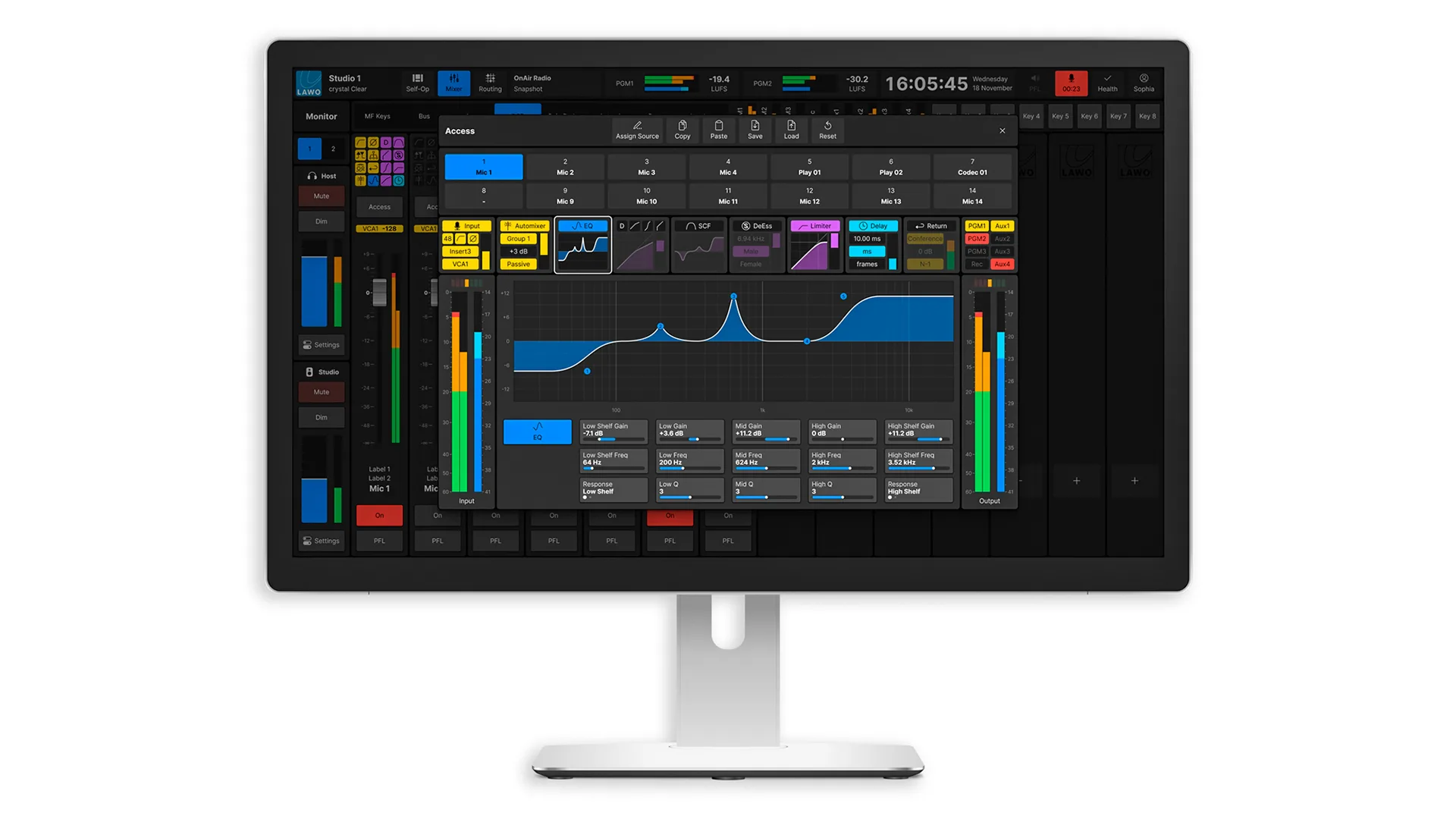
Lawo VisTool is the premier virtual user interface and control software for Lawo Power Core systems and the HOME Power Core app. Originally developed for radio applications, certain current iterations of VisTool also help TV stations and audio engineers to remain at the top of their game.
Software-driven touchscreen operation removes clutter for spontaneous users, while tools for granular adjustments in the background remain within reach.
Almost anything operators and head engineers have in mind can be implemented with VisTool. And delivered in such a way that self-op radio talent can focus on presenting captivating shows with little or no technical experience.
Speaks Your Language
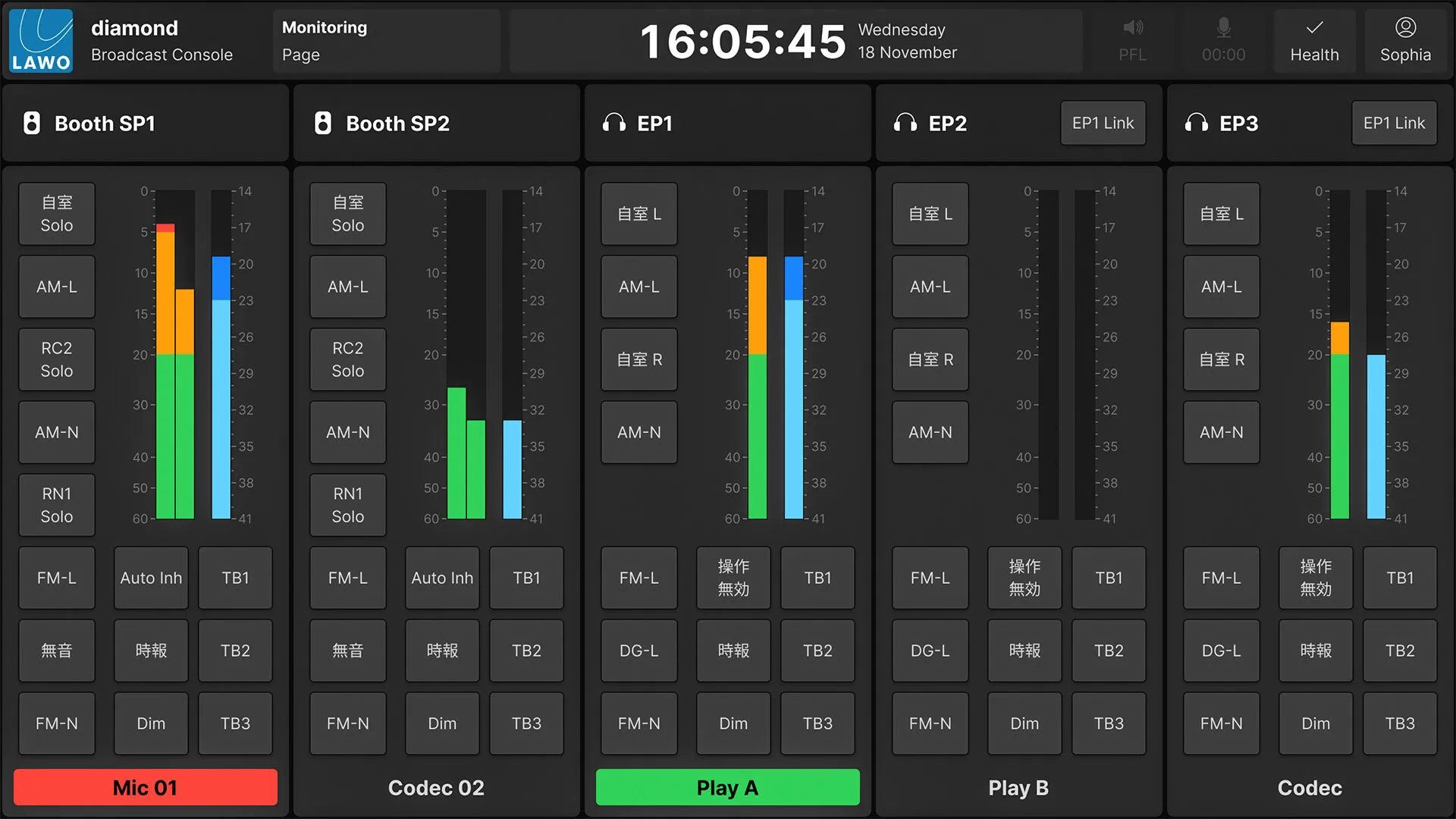
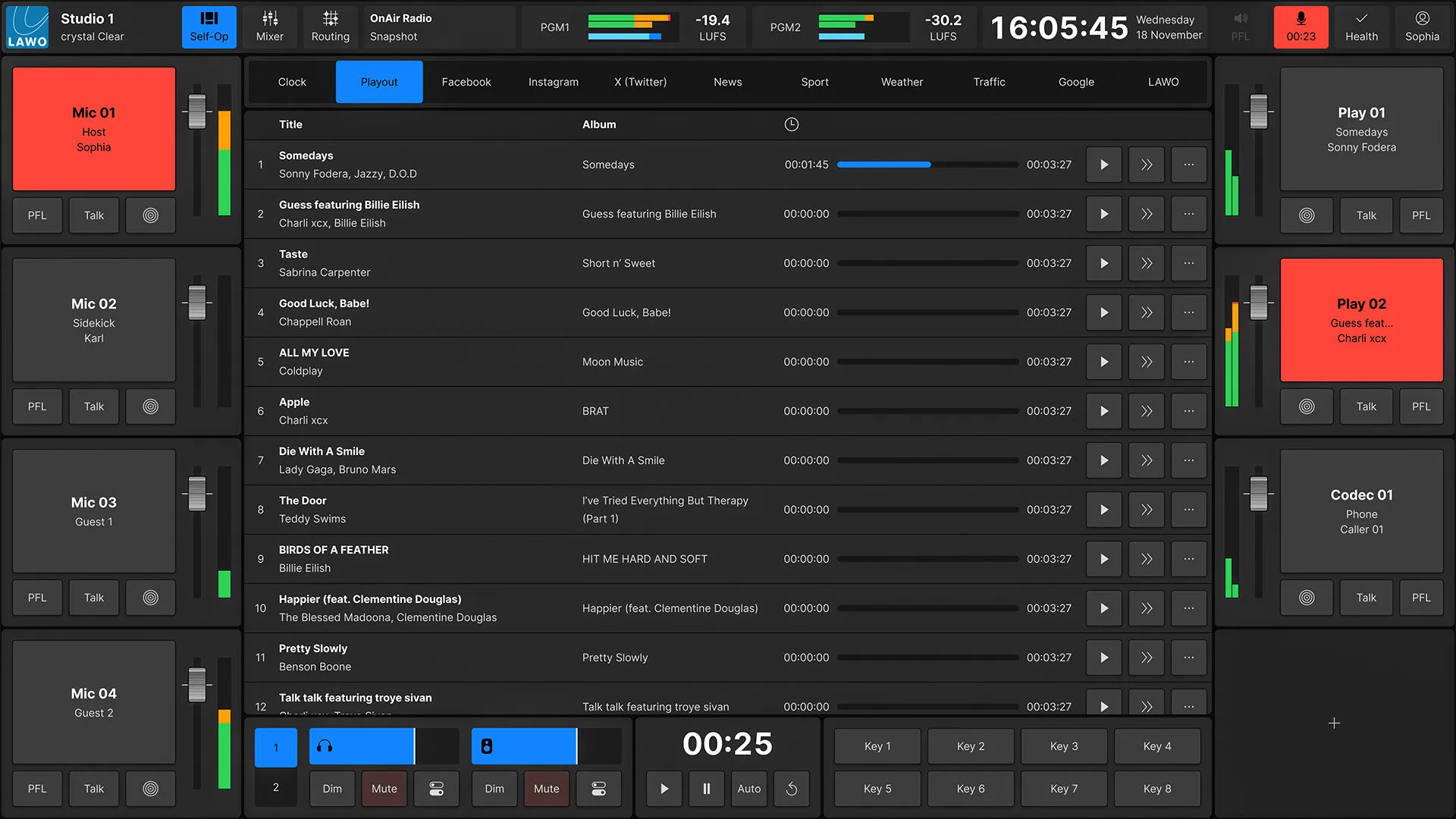
Supporting UTF-8 character sets, VisTool can be part of an integrated solution alongside physical mixing surfaces such as diamond and crystal consoles. Yet, it is also the perfect virtual “side-car” controller, i.e. an extension of the existing hardware/software mix for additional presenters or guests. Where desired, VisTool provides all virtual control that radio hosts will ever need—in a stand-alone, virtual package.
In addition to accommodating third-party software solutions for radio automation, media management, studio control and, of course, social media and web browsers, VisTool enables radio stations to reduce their studio hardware to the bare minimum: a microphone and a pair of headphones are the only hardware that is needed. Everything else can be monitored and operated via a touchscreen or tablet.
We can now attract the finest radio talent whose technical background is all but irrelevant.
VisTool Handbuch
Lassen Sie Ihrer Fantasie freien Lauf! Holen Sie sich das Handbuch und entdecken Sie, was mit VisTool alles möglich ist.
Overview
Features
VisTool enables intuitive and integrated workflows based on carefully designed graphical elements and a powerful internal logic engine.
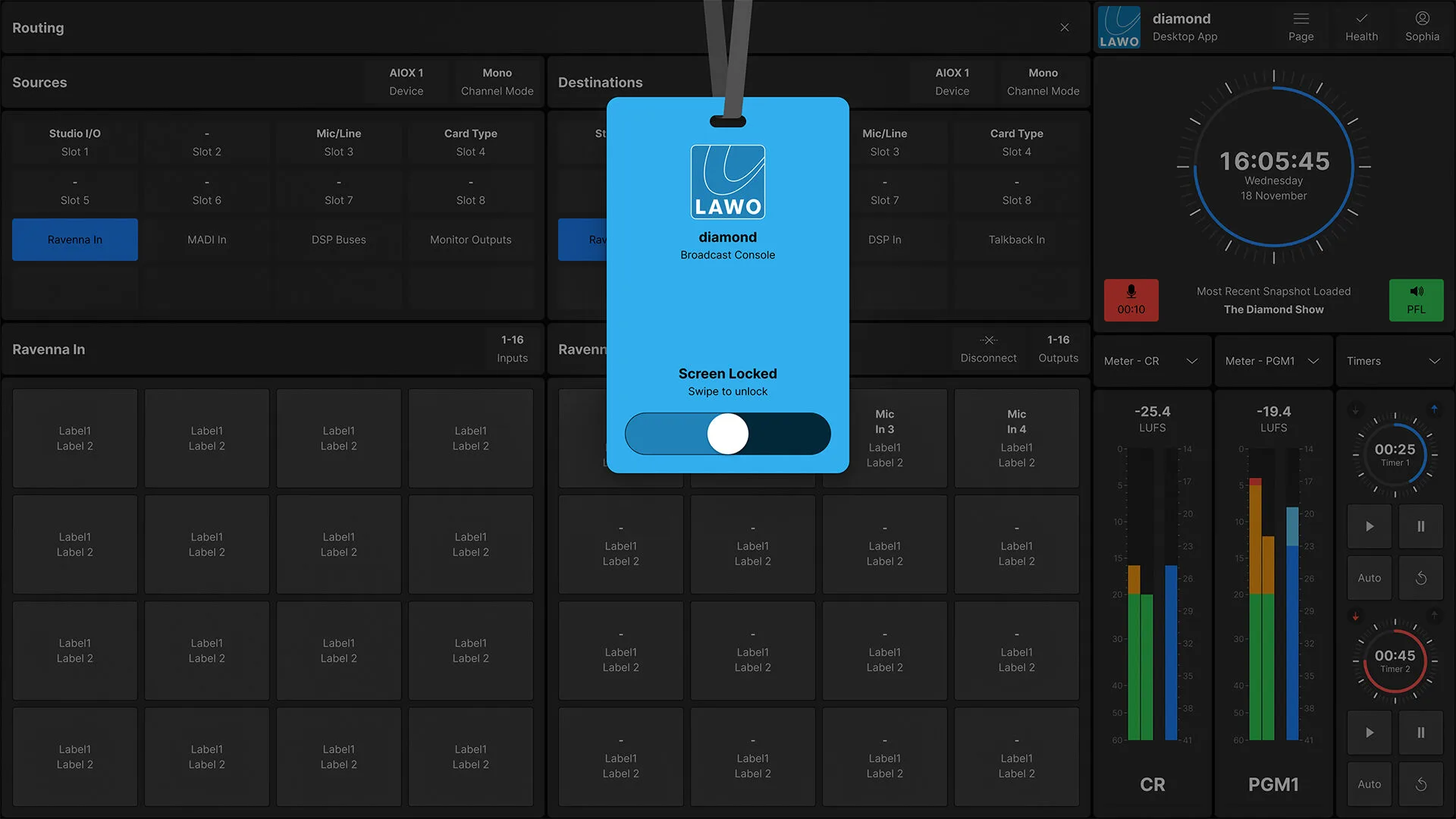
VisTool’s toolkit is crammed with every kind of control you can think of: button panels, routing selectors, audio shaping tools, HTML frames, video windows, various kinds of meters—from loudness to PPM—timers, and clocks.
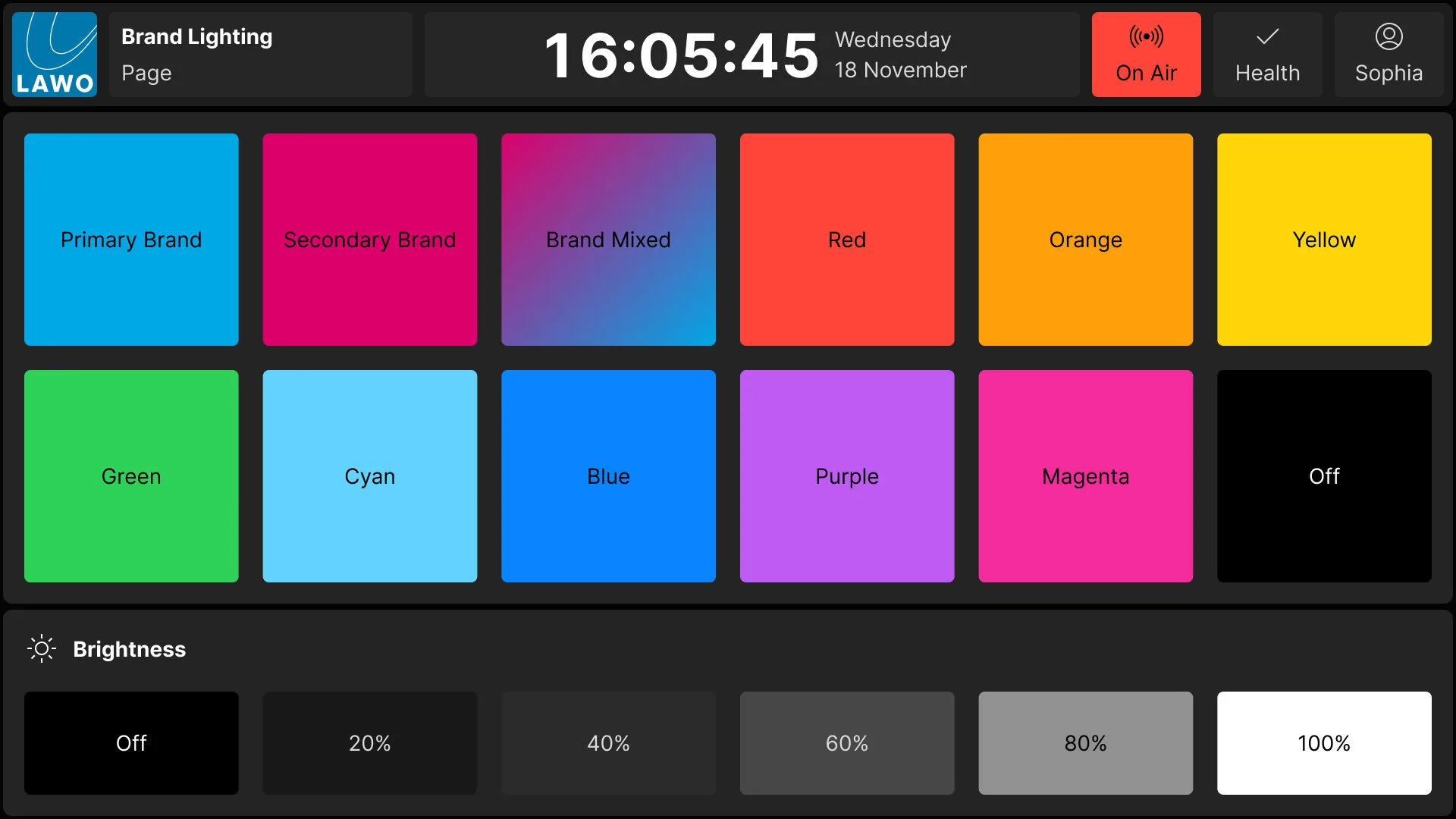
All are scalable and look crisp on even the largest screens. In addition, users can design and import their own graphics for consistent station branding.
VisTool’s stationwide snapshot management system takes the strain out of studio configuration. Users can craft the ideal workspace on any PC (even at home) once and then deploy it throughout the organization.
Load the completed workspace in all desired studios without copying a single file, or editing a single parameter. Additionally, you can build personalized snapshots for each presenter, who can then log in from any studio and immediately find their familiar workspace.
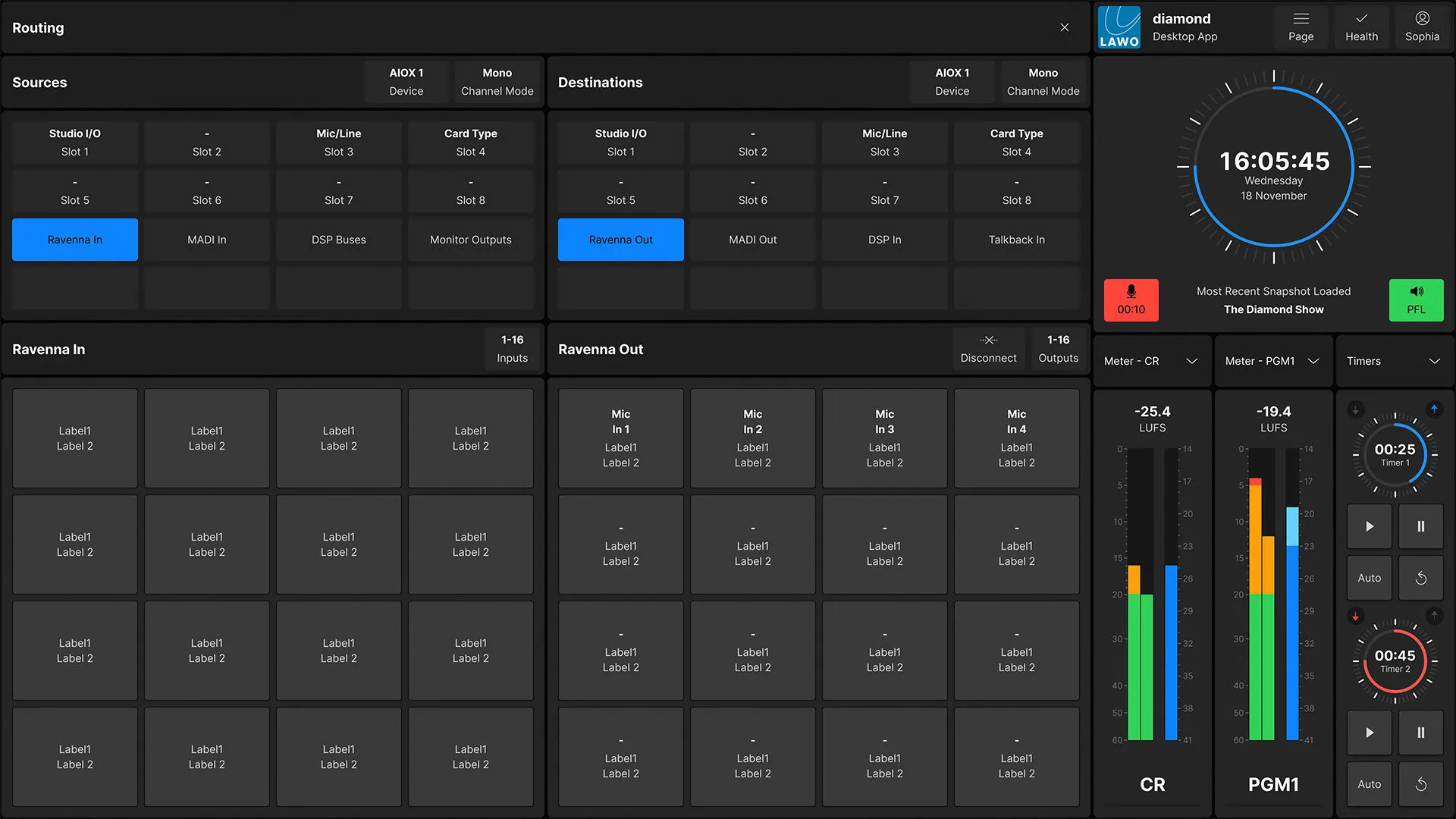
Every operator gets only the tools that you want them to have, while the chief engineer has access to all areas: VisTool is the ultimate remote-control app that lets you view and control every studio parameter in every part of your organization from any standard PC or tablet.
Control multiple studios at once: VisTool’s multi-screen capability and touch interface make it incredibly easy to administer your entire facility.
VisTool furthermore covers your TOC, Master Control Room, your offices, and any other location. Connect it to your station’s ST2110/AES67 AoIP network and build detailed info screens that monitor loudness, confirm router states, meter critical audio feeds, and warn of potential problems. VisTool is your virtual command center.
Embed the World
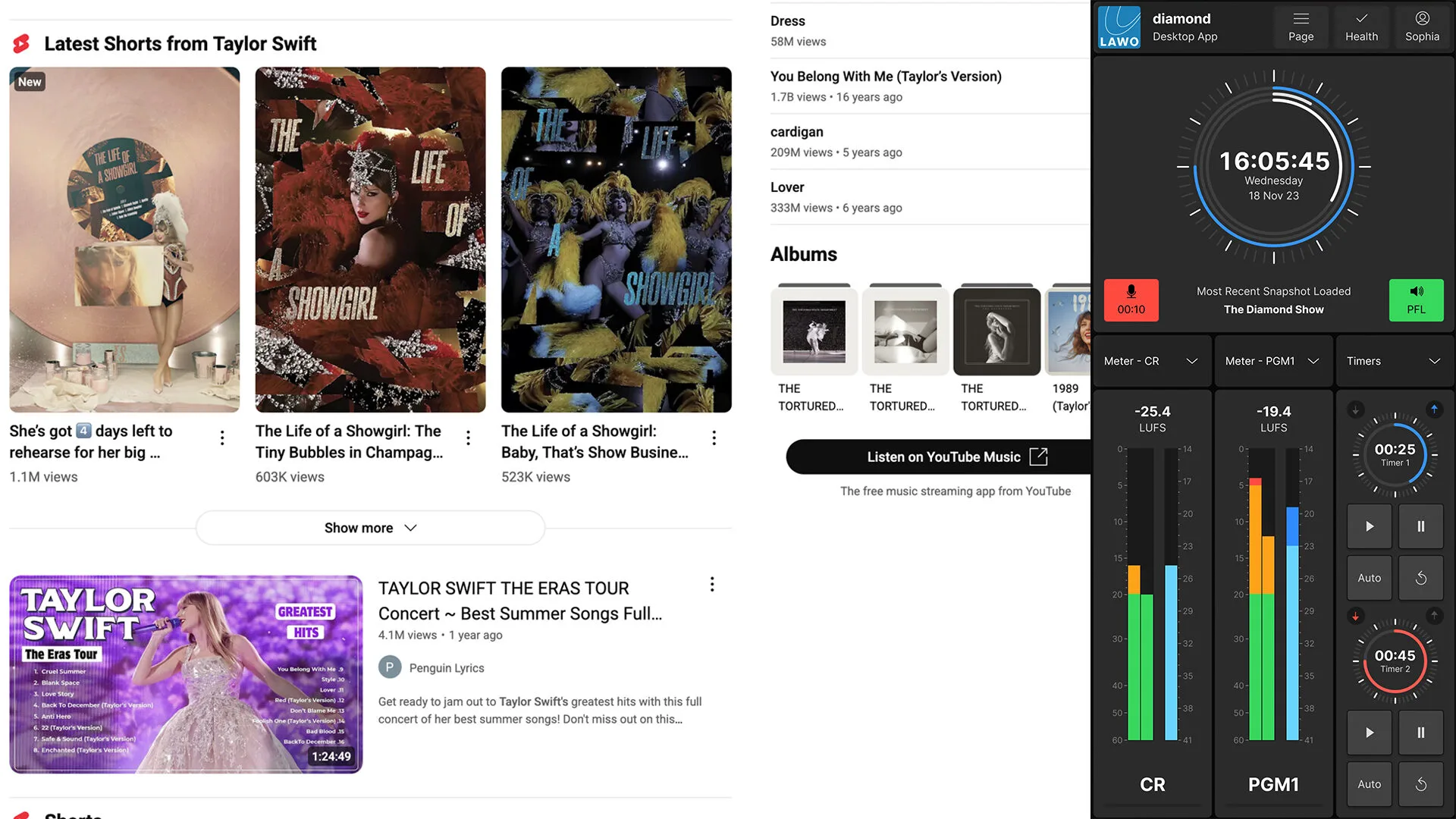
VisTool frames the web, so you can build a control interface with things like news feeds, social media channels, live video streams, media players, webcams—literally anything that is on the web or in the cloud is just a touch away.
Critical controls and meters remain docked on-screen, while others can be collapsed and recalled, so talent can stay informed and interact instantly with listeners while remaining focused on their shows.
Of course, VisTool also has room for your rundown software, playout system, and so on.
Die Kraft der Touch-Bedienung
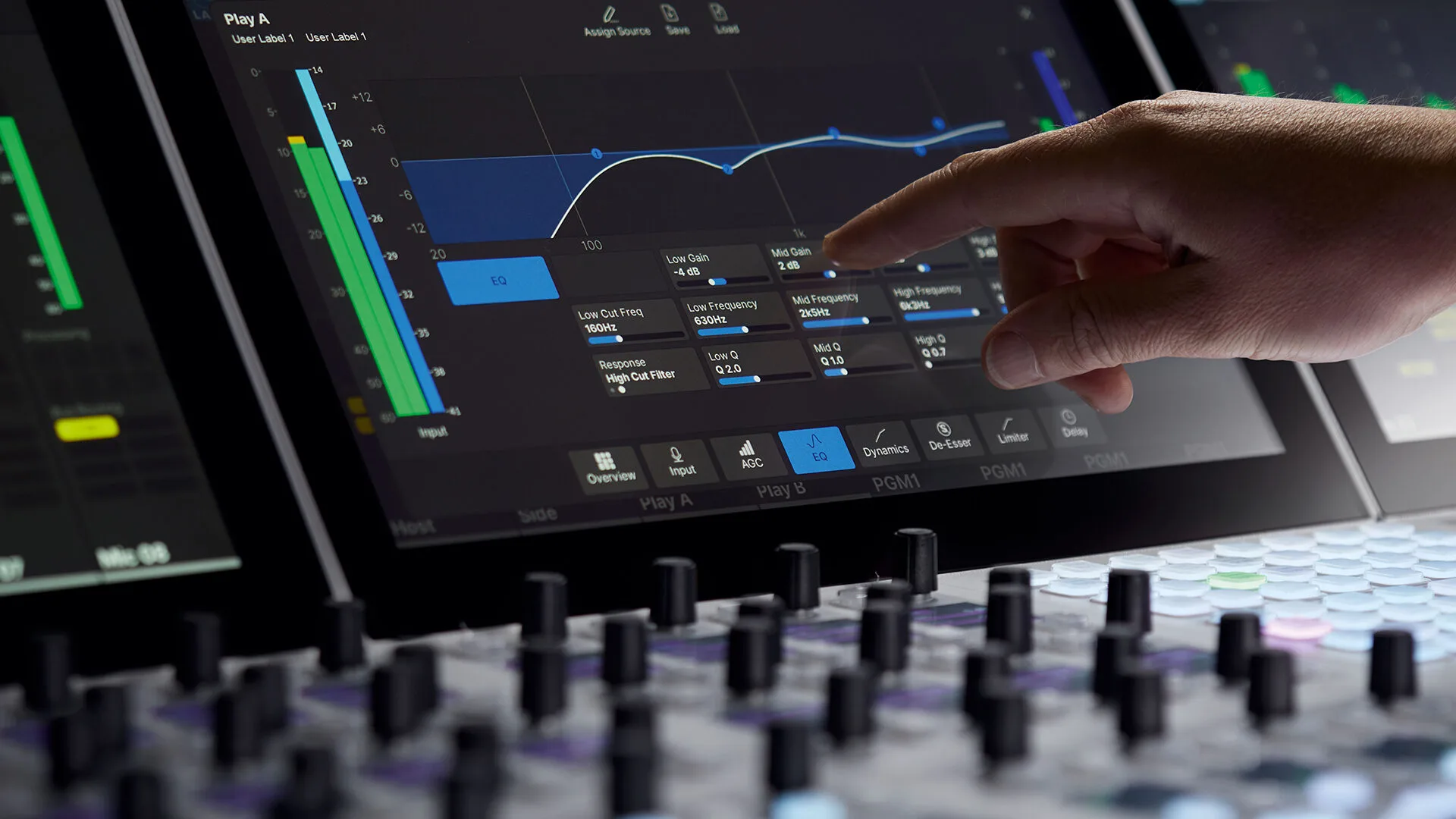
Warum sind Touchscreens gut für den Hörfunk? Ein Wort: Unmittelbarkeit. Touch macht die Bedienung schneller und intuitiver, reduziert Komplexität und ergänzt sie um kontextbezogene, vorausschauende Steuerung. Luftfahrt, IT, Bankwesen, Logistik und andere Branchen, die eine sekundenschnelle Steuerung erfordern, haben allesamt bewiesen, dass Touch-Oberflächen der perfekte Weg sind, um Operatoren genau dann die richtigen Werkzeuge an die Hand zu geben, wenn sie am dringendsten benötigt werden.
Ember+ Open Logic For All
Ember+ has become the de facto standard for networked control in the broadcast community. Like AES67 and RAVENNA, Ember+ is truly free and open.
Proprietary protocols let you control a few specific devices, but VisTool with Ember+ gives you command of a huge number of products from an ever-expanding coalition — all driven by VisTool’s insanely flexible drag-and-drop Boolean logic engine.
VisTool Variants
VisTool comes in Standard and Unlimited versions. A VisTool Standard license is included with all Lawo diamond and crystal mixing consoles and includes a number of standard pages and controls. VisTool Unlimited unlocks the full potential of VisTool and allows the creation of custom user interfaces that suit your specific needs.
Funktionen
- Echtzeit-Visualisierung und -Steuerung von Broadcast-Audiogeräten für Einzel- oder vernetzte Multi-Studio-Anwendungen
- Intuitive, kontextbezogene, touch-fähige GUIs
- Dynamisches Umschalten zwischen Vollbildseiten oder angedocktem / Fenstermodus
- Lokale oder globale Snapshots zum Abruf gespeicherter Parameter und Einstellungen aus jedem Studio
- Mehrstufiges Benutzerrechte-Verwaltungssystem, gekoppelt an den Windows-Login
- Zu den Bedienelementen gehören:
- Auswahl der Eingangsquelle und Parametersteuerung
- Meter (VU, PPM, Loudness, Channel, Correlation und Gain Reduction)
- Fader, Slider, Buttons und Drehregler
- Umfassende Routing-Matrix-Steuerung für Quelle/Ziel
- Uhren und Event-Timer
- Monitor-, PFL- und Talkback-Steuerung
Ein kostenpflichtiges Upgrade mit allen Funktionen von VisTool Standard, plus:
- Die Möglichkeit, kontextbezogene, individuelle Bedienoberflächen mithilfe der umfangreichen Grafikbibliothek von Lawo zu gestalten und aufzubauen
- Verwendung importierter, individueller Grafiken und Bedienelemente für ein einheitliches Senderbranding
- Nutzung von Webbrowser-Plugins für einbettbare Web-Apps und Standard-HTML-Seiten
Für noch anspruchsvollere Anwendungen können die folgenden Funktionsmodule als optionale Add-ons zu VisTool Unlimited hinzugefügt werden:
- Ausgefeilte Logic Engine für individuelle Workflows und Bedienung
- Steuerung externer vernetzter Geräte über die Open-Source-Ember+-API
- Einbetten und Integrieren von Lawo VSM-Panels und -Logik in jede Seite
Die Listen zeigen alle verfügbaren Funktionen. Die tatsächliche Anzahl gleichzeitig verfügbarer GUI-Elemente hängt von den Spezifikationen des Computers ab.
Laden Sie unser Spezifikationsdokument herunter für Beispielkonfigurationen und Hardwareanforderungen.
VisTool SOLO und SOLO Plus
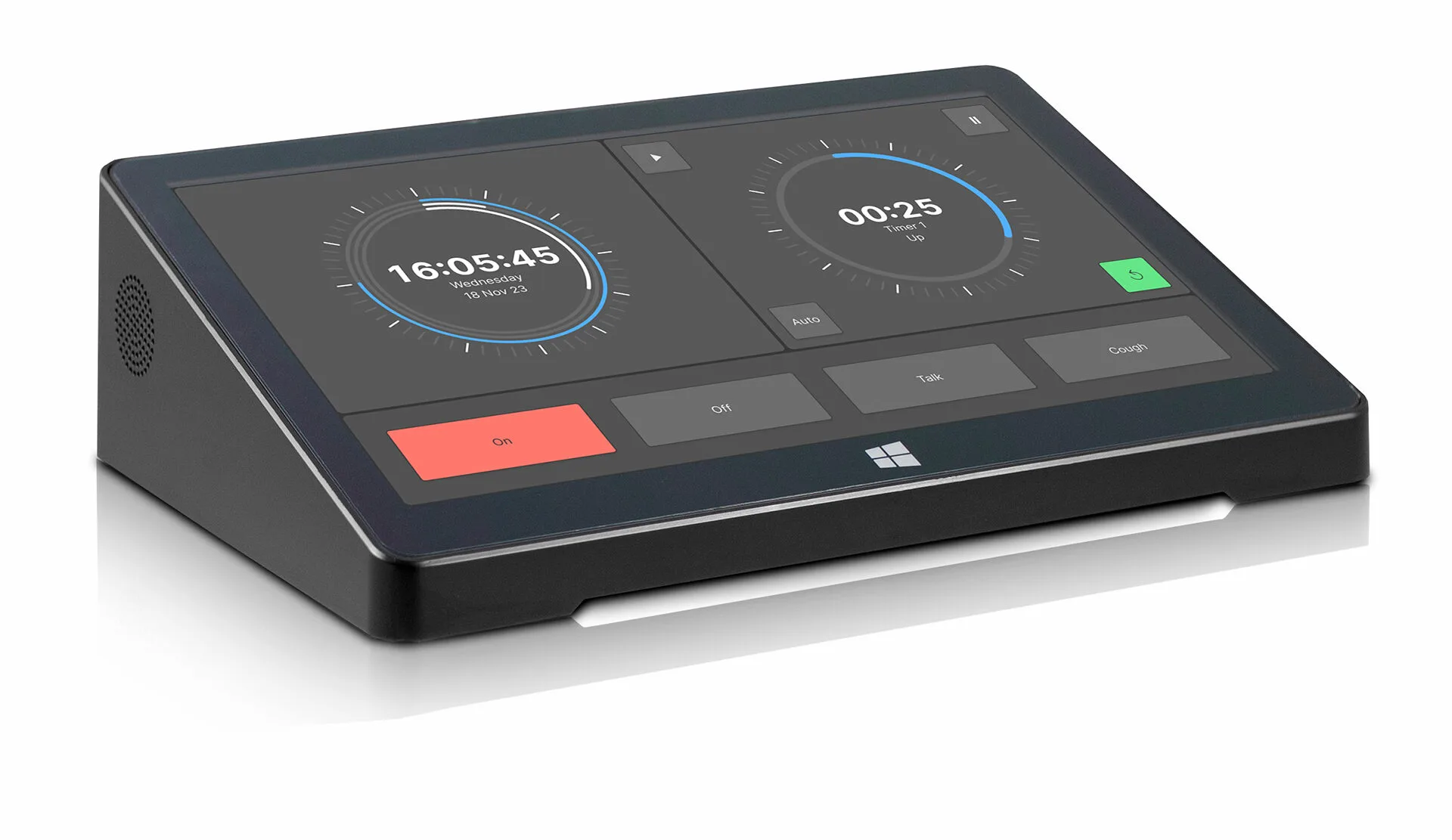
Moderator-Software
Lernen Sie die schlanke GUI-Builder-Software kennen, mit der Sie grafische Software-Bedienpanels für Produzenten, Studiogäste, Moderatoren und Operatoren erstellen. VisTool SOLO ist in den Versionen Standard und SOLO Plus erhältlich.
Beide bieten multitouch-fähige Steuerung und eine intuitive GUI, die für schnelllebige Workflows optimiert ist. VisTool SOLO und SOLO Plus eignen sich perfekt für die Verteilung über das Studiomobiliar und den Einsatz auf portablen Geräten.
Features
- 2 pages + 2 overlays
- Large time-of–day clock and 3 event timers
- 10 generic elements (background, graphics and text)
- Up to 32 buttons
- 4 level controls (fader, slider and rotary)
- 2 stereo PPM/VU meters
- 2 correlation meters
- 2 Loudness meters + 2 Loudness value labels
- 2 LUFS value labels
- 2 PPM value labels
- 1 web view
- 8 pages + 8 overlays
- Large time-of–day clock and 3 event timers
- 40 generic elements (background, graphics and text)
- Up to 128 buttons
- 24 level controls (fader, slider and rotary)
- 8 stereo PPM/VU meters
- 8 correlation meters
- 8 Loudness meters + 8 Loudness value labels
- 8 LUFS value labels
- 8 PPM value labels
- 4 web views
The lists show all available features. The actual number of GUI elements available simultaneously depends on the computer specifications.
Laden Sie unser Spezifikationsdokument herunter für Beispielkonfigurationen und Hardwareanforderungen.
Auch Ingenieure lieben VisTool SOLO. Stellen Sie sich vor: sofortiger Zugriff auf essenzielle Systemsteuerung und Monitoring – jederzeit und von überall.
Perfekt für die Fernsteuerung von Routing-Kreuzpunkten oder die Auswahl von Programmzuspielungen oder für individuelle Programmstatusanzeigen mit Loudness-Metering und Stille-Alarmen, die Sie auf einen Blick umfassend informieren. Mit einer Wi-Fi-Verbindung erledigen Sie mit Ihrem Tablet und VisTool SOLO Routing-Änderungen im Handumdrehen oder prüfen den Status eines Programmkanals von überall auf dem Gelände.